Open Responses
Overview
Open WebUI has experimental support for Open Responses, an open specification for multi-provider, interoperable LLM interfaces. This guide walks you through enabling the Open Responses API for a connection.
This feature is currently experimental and may not work as expected with all providers.
What is Open Responses?
Open Responses is an open-source specification that standardizes how LLM requests and responses are structured across providers. It provides:
- One spec, many providers: Describe inputs/outputs once; run on OpenAI, Anthropic, Gemini, or local models.
- Composable agentic loops: Unified streaming, tool invocation, and message orchestration.
- Easier evaluation and routing: Compare providers, route requests, and log results through a shared schema.
Open Responses builds on the OpenAI Responses API format but is designed to work across any provider that implements the spec.
Step 1: Add or Edit a Connection
- Go to the ⚙️ Admin Settings.
- Navigate to Connections > OpenAI > Manage (look for the wrench icon).
- Click ➕ Add New Connection or edit an existing connection.
Step 2: Select the API Type
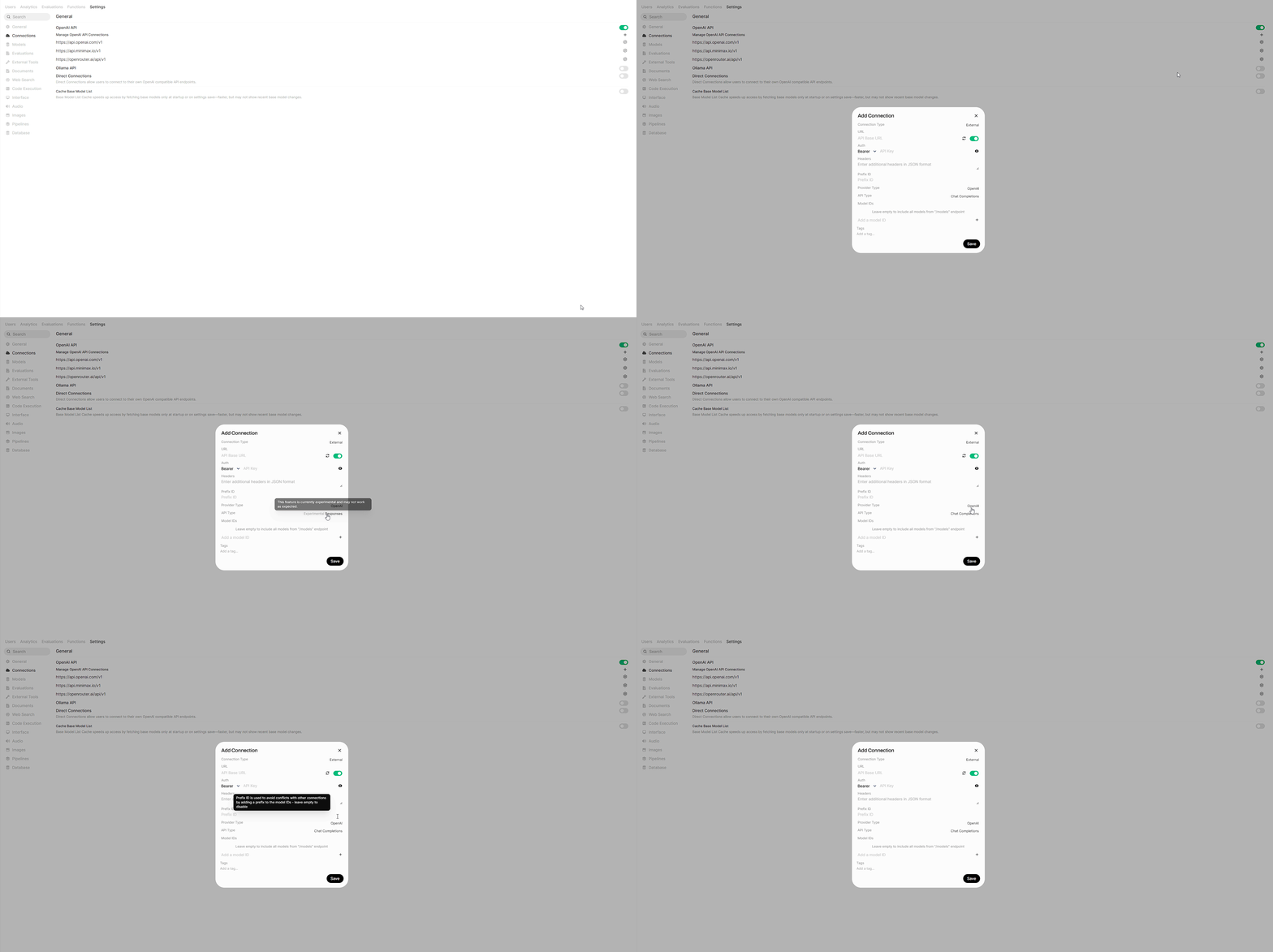
In the connection modal, look for the API Type setting:
- Chat Completions (default): Uses the standard OpenAI Chat Completions API format.
- Responses (experimental): Uses the Open Responses API format.
Click the toggle to switch to Responses. You'll see an "Experimental" label indicating this feature is still in development.
Step 3: Configure Your Provider
Enter the connection details for a provider that supports the Open Responses format:
- URL: Your provider's API endpoint
- API Key: Your authentication credentials
- Model IDs: (Optional) Specify specific models to use
Supported Providers
Open Responses is a new specification, so provider support is still growing. Check the Open Responses website for the latest list of compliant providers and implementations.
Troubleshooting
Connection works with Chat Completions but not Responses
Not all providers support the Open Responses format yet. Try:
- Switching back to Chat Completions
- Checking if your provider explicitly supports Open Responses
- Using a middleware proxy that can translate to Open Responses format
Streaming or tool calls behave unexpectedly
Tool calls, re-invocations, and streaming are supported for Responses API connections. Open WebUI transparently converts between Chat Completions and Responses API formats, including tool call arguments, function call outputs, and multi-turn tool use. If you still encounter issues:
- Check the Open WebUI Discord for known issues
- Report bugs on GitHub
Stateful sessions
By default, Open WebUI treats Responses API connections as stateless — it manages conversation history locally and sends the full context with each request. If your upstream provider supports stateful sessions (server-side response storage with previous_response_id anchoring, e.g., direct OpenAI connections), you can enable ENABLE_RESPONSES_API_STATEFUL=true to let the provider manage conversation state.
Most proxies and third-party Responses API endpoints are stateless and will break if stateful mode is enabled. Only use this with providers that explicitly support stateful Responses API sessions.
Learn More
- Open Responses Specification: Full technical specification
- Open Responses GitHub: Source code and discussions
- FAQ: Why doesn't Open WebUI natively support proprietary APIs?: Learn about our protocol-first philosophy